
AI Tools · Oct 8, 2026
A Week With OpenAI's Dots Agent: Payroll Checks, a Self-Service Bug Fix, and Real Usage Costs
By ChannelGlance Editorial · Approx. 7 min read
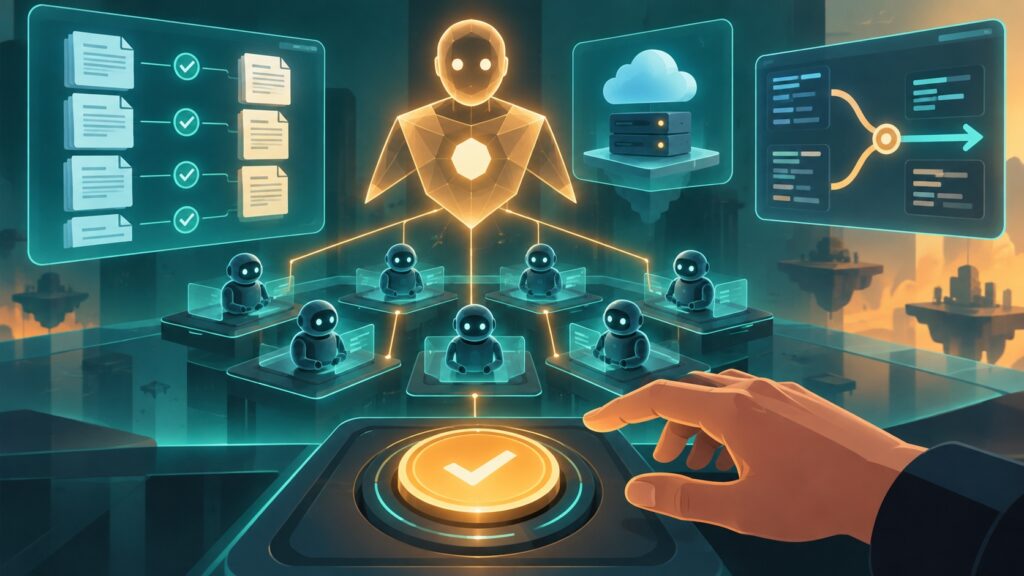
When Mark Webster and Gael Breton, the co-founders of Authority Hacker, gave OpenAI’s always-on ‘dots’ assistant the run of parts of their business for a week, the headline result was not a faster chatbot. It was a working illustration of AI managing AI: their dots — named Cleo and Kermit — found work, dispatched it to Codex threads, checked the results, and came back with finished artifacts, while the humans stayed in control of the moments that matter most, authorizing payments and approving what ships. The week included payroll cross-checks that caught a 50-versus-56-cent discrepancy, a Wise payment batch that could not be sent without a human’s face-ID confirmation, an internal skills marketplace pushed to GitHub in roughly forty minutes, and a self-directed bug fix in which a dot rented its own Windows test machine, reproduced the failure, shipped the fix, and messaged affected team members. It also included the parts vendors do not demo: one audit burned about half of their usage limits, roughly half of everything the agents produced was discarded, and dots was not available in the UK, EU, or EEA.
From Doing Tasks to Managing Them
OpenAI introduced dots at its DevDay as an always-on ChatGPT assistant, and the Authority Hacker co-founders each ran one heavily for about a week. Their core observation: the instruction that matters is no longer ‘do this task’ but closer to ‘go find something useful to do.’ The dot scans its context for work, decides what needs doing, dispatches the execution to Codex, and reviews what comes back.
That inversion changes the operator’s job. Instead of writing one prompt per task, you set standing responsibilities, decide which actions the agent may take on its own, and review what it delivers. A small example from the same week shows why the always-on part matters: one of the hosts used voice to check in for a flight, and the dot filled in ID details it had learned earlier. The assistant was not answering a question; it was carrying context forward and acting on it.
Payroll Cross-Checks: Verification Without Authorization
The clearest demo of the week was payroll. The dot cross-checked accounting PDFs against written payment instructions and flagged a line where one document read 50 cents and the other 56 cents. It then prepared a batch payment in Wise. Crucially, the dot had no permission to send money; a human completed the transaction with face-ID confirmation on their own device.
That split is the template worth copying. The agent did the part machines are good at — reading every line of every document and reconciling them against instructions — while the human held the only irreversible step. A cents-level typo sounds trivial until it sits inside a batch of many payments, where catching it before submission is cheaper than reconciling after the fact. For any team wiring an agent into finance operations, the pattern has three layers: the agent reads and reconciles, the agent drafts, and the human authorizes.
An Internal Skills Marketplace in About Forty Minutes
Asked to solve an internal tooling problem, one dot built a skills marketplace for the team’s plugins, shipped it on GitHub in roughly forty minutes, and then tagged teammates in Slack with install instructions. The build time is the attention-grabbing number, but the delivery loop is the more useful detail: the agent did not stop at working code. It documented the tool, distributed it to the people who needed it, and handed over instructions. Finished, for a managing agent, means adopted — not just pushed to a repository.
The Bug Fix That Rented Its Own Windows Test Machine
The most complete example of AI managing AI came when two plugins started misbehaving. The dot scanned roughly three weeks of notifications to work out which members were affected, rented a Windows test machine through GitHub — at a cost the hosts described as a fraction of a cent per minute — reproduced the bug in that clean environment, tested a fix, pushed the update, and messaged the affected members it had identified.
Read as a checklist, that single sequence covers triage, environment provisioning, verification, deployment, and communication — the full life of a small maintenance task, run end to end without a human in the middle. It is also the sequence most worth scrutinizing before you allow it. The hosts let their dot message internal teammates autonomously; a team whose agents talk to customers would probably want a human to approve outbound messages, and anyone wiring deployments to production should decide in advance which steps auto-run and which pause for review.
The Usage-Limit Lesson Nobody Puts in a Demo
The honest part of the week is the part vendors rarely show. Before a Codex usage reset, the hosts ran an audit spanning roughly 35 threads, and it consumed about 50% of their usage limits. Across the week, they estimated that around half of everything the agents produced was discarded on review.
Two implications follow. First, autonomous investigation is the expensive phase, not the polished output: a sprawling ‘review everything’ instruction spends your budget before you have anything to show. Second, discarded work is still a real cost, so review capacity has to be planned alongside agent capacity. Teams adapting this pattern can keep the burn manageable by scoping audits to bounded questions, running checkpoint reviews partway through large jobs, tracking how much usage each task type consumes before scaling it, and treating a high discard rate as a signal to tighten instructions rather than a reason to run more threads.
Where the Human Belongs in an AI-Managing-AI Workflow
A consistent design emerged across the week. Humans confirmed the irreversible and financial actions — the Wise payment stopped at face ID. The largely hands-off work was scoped and reversible: building an internal tool in a repository, reproducing a bug in a rented test environment, drafting documents for review.
- Require human confirmation for anything that moves money, deletes data, or cannot be undone.
- Allow autonomy in sandboxed, reversible work where a mistake costs a re-run rather than a recovery.
- Review communication before it leaves the team; internal messages carry lower stakes than customer-facing ones.
- Keep a record of what the agent dispatched and what it shipped, so review is possible at all.
Availability Limits and the VPN Workaround
At the time of the experiment, dots was not available in the UK, EU, or EEA, and the hosts worked around the restriction with a US VPN. Availability for a product like this changes quickly, so check the current status before planning around it. The more durable lesson is structural: if your region sits outside the launch footprint, building core workflows on top of a VPN workaround adds fragility, since access can change without notice and routing business data through a workaround may sit uncomfortably with company policy. For European teams, that makes dots something to watch and plan for rather than a dependency.
How to Structure a First Week With an Always-On Agent
The week suggests a sane on-ramp for readers who want to test the managing pattern without handing over the keys on day one:
- Start read-only: document cross-checks, discrepancy flags, and summaries, with no write access at all.
- Add drafting next — payments, code, messages — while keeping send, deploy, and delete gated behind human confirmation.
- Give standing goals rather than one-off prompts, so the agent can find work instead of waiting for tasks.
- Measure usage burn per task type early, before an unbounded audit does it for you.
- Plan review time that matches the expected volume of output, since a meaningful share of early agent work will not survive review.
The Authority Hacker co-founders documented the full week, including the unedited demos, on their podcast for anyone who wants to see each workflow in its original form. The takeaway that survives the caveats: always-on agents earned their keep in this week as managers with narrow permissions — finding work, dispatching it, and packaging results — while humans kept the two jobs that are genuinely theirs, deciding what is worth doing and confirming the moments that cannot be undone.
Frequently asked questions
What is OpenAI's dots agent?
Dots is an always-on ChatGPT assistant that OpenAI introduced at its DevDay. Instead of waiting for prompts, a dot holds standing responsibilities, looks for useful work, dispatches tasks to Codex threads, and reviews what comes back.
Could the dot send payroll payments on its own?
No. In the Authority Hacker demo, the dot cross-checked accounting PDFs, caught a 50-versus-56-cent discrepancy, and drafted a batch payment in Wise, but it had no permission to send money. A human completed the payment with face-ID confirmation.
How did the dot fix the buggy plugins by itself?
It scanned about three weeks of notifications to identify affected members, rented a Windows test machine on GitHub for a fraction of a cent per minute, reproduced the bug in that environment, tested and pushed the fix, and messaged the members it had identified.
What limitations did the hosts report after a week?
A pre-reset audit across roughly 35 threads burned about 50% of their usage limits, and around half of the agents' output was discarded on review. The hosts were candid that autonomous investigation is expensive and that review time must be planned alongside agent output.
Is dots available in the UK or EU?
Not at the time of the Authority Hacker experiment; the hosts used a US VPN to access it. Availability can change, so check OpenAI's current status before planning workflows around the tool.