
AI Tools · Oct 8, 2026
How to Design Print-on-Demand Merch in Kittl: Exports, Licensing, and Live Mockups
By ChannelGlance Editorial · Approx. 6 min read
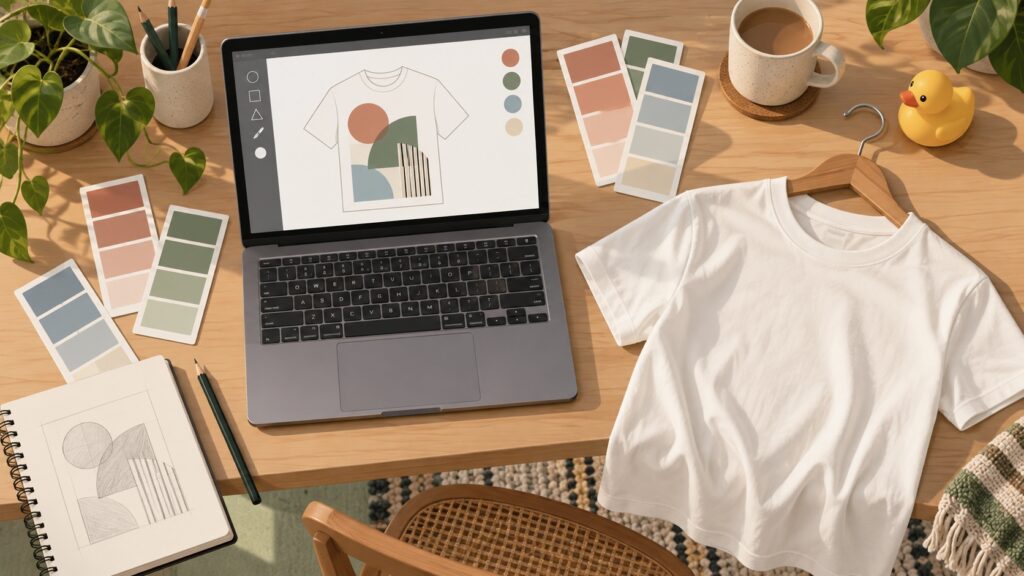
If you make print-on-demand merch in Kittl and fulfill through Printful, four settings do most of the heavy lifting in the workflow demonstrated on Printful’s channel by a guest who also produces Kittl tutorials: export at 300 DPI (the ‘3x’ quick export is shorthand for exactly that), size artboards with the built-in Printful T-shirt preset — 16 by 20 inches in the demo — remove backgrounds for transparent PNGs, and let live mockups update as you edit. The walkthrough also answers licensing directly: as stated in the demo, Kittl’s fonts, graphics, templates, and images are cleared for use on physical and digital products, and no paid plan is required for those commercial rights. The free plan’s stated limit is a cap on export size, not on usage rights.
One framing note before the details: the guest creates Kittl tutorial content himself, so what follows is an enthusiastic product demonstration, not a neutral comparison with other design tools. Every feature below is described as it was shown in the walkthrough, and the licensing terms are reported as the guest stated them rather than independently verified.
Set Up Your Artboard and Export at 300 DPI
Print files go wrong most often at the export step, so the practical workflow starts there. Kittl artboards can be sized in inches or in pixels, and a Printful T-shirt preset is built in — the demo cites a 16-by-20-inch board. When you export, set the resolution to 300 DPI; the example output in the demo measured 8,600 by 10,800 pixels, which is the file size garment printing expects. Turn on background removal when the design needs a transparent PNG instead of a printed rectangle behind it.
- Size the artboard with the Printful T-shirt preset — 16 by 20 inches in the demo — or enter dimensions in pixels.
- Export a PNG at 300 DPI; one example output measured 8,600 by 10,800 pixels.
- Apply background removal whenever the print needs transparency.
- Use the ‘3x’ quick export as shorthand for a 300-DPI PNG when you want the result in fewer clicks.
That last point is worth internalizing. The ‘3x’ option in the quick-export menu produces the same print-ready PNG as the full export panel set to 300 DPI, according to the demo. If your destination is a Printful shirt and you don’t need fine control over the export settings, ‘3x’ is the fast path.
What the Demo Says About Commercial Licensing
The question sellers ask most about any design tool is whether they can legally sell what they make with it. The walkthrough’s answer, as stated by the guest: Kittl’s fonts, graphics, templates, and images are licensed for commercial use across physical and digital products, with no per-product-type restrictions, and you do not need a paid subscription for those usage rights. The free plan’s main constraint is a cap on export size.
Two cautions keep that claim honest. First, these are the terms as described in the demonstration — this article does not independently verify them, and licensing language can change, so read the current terms on any tool before building a large catalog on it. Second, a license to use assets is separate from the originality of your own concept. The demo brand, ‘Imperfect Duckling,’ is original work created for the walkthrough, and that originality is what keeps the example on safe ground.
Edit Templates Instead of Rebuilding From Scratch
The demo brand shows the template workflow in action. ‘Imperfect Duckling’ is a line of ducks with relatable, ‘life is hard’ moods — one design is a crying duck saying ‘shut up, I need to be productive,’ applied to a mug. Instead of drawing every product from zero, the guest works from Kittl’s template library, where each template stays fully editable.
Two features do most of the work. A one-click replace button swaps an element — an uploaded duck illustration, say — into the design and scales it to fit the layout, so you are not re-sizing artwork by hand for every product. An advanced layers panel then gives you control over stacking and editing, the way you would expect in a full design application. Kittl is pitched in the walkthrough as an all-in-one print-on-demand design tool — templates, graphics, fonts, AI features, and a pen tool for custom drawing — and the guest calls it ‘the tool that grows with you.’ Weigh that as the perspective of someone who teaches the tool for a living, which is exactly what he discloses.
Match Live Mockups to Exact Printful Hex Codes
Mockup color mismatch is a quiet source of buyer disappointment: the shirt on screen is one shade, the printed garment another. Kittl’s mockups are ‘live’ — when you change the design or a color, every mockup updates instantly, with no re-exporting. Because the product photos were shot by the Kittl team in white, you can recolor them with the exact hex codes Printful publishes for its garments.
The demo works through the Comfort Colors 1717 shirt, entering ivory as FF4D9 and orchid as EAD3F2, exactly as those values were given. The practical payoff is twofold: your storefront images show the garment color a shopper will actually receive, and a design edit propagates across the entire mockup set while you watch.
Apply One Brand Kit Across Every Template
Catalog consistency is usually manual labor — restyling each product file so fonts and colors line up. In Kittl you can build a brand kit from scratch or import one from a store URL, with Shopify and Etsy cited in the demo, pulling your existing palette and type into the tool. A newer ‘apply brand’ option, reached through the ‘more’ tab in the demonstration, goes further: it re-themes an entire template, adapting its fonts and colors to your kit in a single action.
The same brand settings feed Kittl’s AI Studio, which the walkthrough uses for marketing work: writing product listings and generating UGC-style video mockups of the products. In the demo, the video generation — SeedDance 2.5 is named — keeps the printed design intact on the garment, and generations that come out flawed can be refunded in tokens rather than simply lost.
Where Vectorize, the Upscaler, and Beginners Fit
Two utility tools round out the toolkit. Vectorize converts raster artwork into vectors and, per the demo, works best on art with roughly fifteen to sixteen colors or fewer. The upscaler enlarges files to around 4,000 pixels, which helps when a source image is smaller than your print size demands.
For beginners, the advice in the walkthrough is to start in the templates feed and edit fearlessly, because templates can be reopened and an experiment costs nothing but time. Combined with the free plan’s commercial usage rights and its export-size cap, the low-risk path is straightforward: learn on templates, check your export math against the DPI your printer wants, and let the plan limits, not the licensing, decide when an upgrade is worth considering.
Frequently asked questions
What export settings should I use for Kittl print-on-demand files?
Export a transparent PNG at 300 DPI from an artboard sized to your product. The Printful T-shirt preset cited in the demo is 16 by 20 inches, and one example output measured 8,600 by 10,800 pixels. The '3x' quick export is shorthand for the same 300-DPI PNG.
Can I sell products made with Kittl templates and graphics?
As stated in the demo, Kittl's fonts, graphics, templates, and images are cleared for commercial use on physical and digital products, with no paid subscription required for those rights; the free plan only caps export size. These terms are reported as the guest described them, so check the current terms before scaling a catalog.
How do live mockups in Kittl match real Printful shirt colors?
Kittl's mockups update instantly when you edit a design or color. Because the product photos were shot in white by the Kittl team, you can enter Printful's exact garment hex codes — the demo used the Comfort Colors 1717 shirt, with ivory given as FF4D9 and orchid as EAD3F2.
What does the 'apply brand' option do in Kittl?
It re-themes an entire template to your brand kit in one action, adapting the template's fonts and colors. Brand kits can be imported from a Shopify or Etsy store URL or built from scratch, and the same settings feed AI Studio marketing workflows for listings and UGC-style videos.
Where should a beginner start when designing merch in Kittl?
Start in the templates feed and edit fearlessly, since templates can be reopened. Use one-click replace to fit uploaded elements into a layout, rely on the layers panel for control, and check your export size against the free plan's cap before publishing.