
AI Tools · Oct 4, 2026
Adding LangSmith Observability to a Google ADK Voice Agent
By ChannelGlance Editorial · Approx. 5 min read
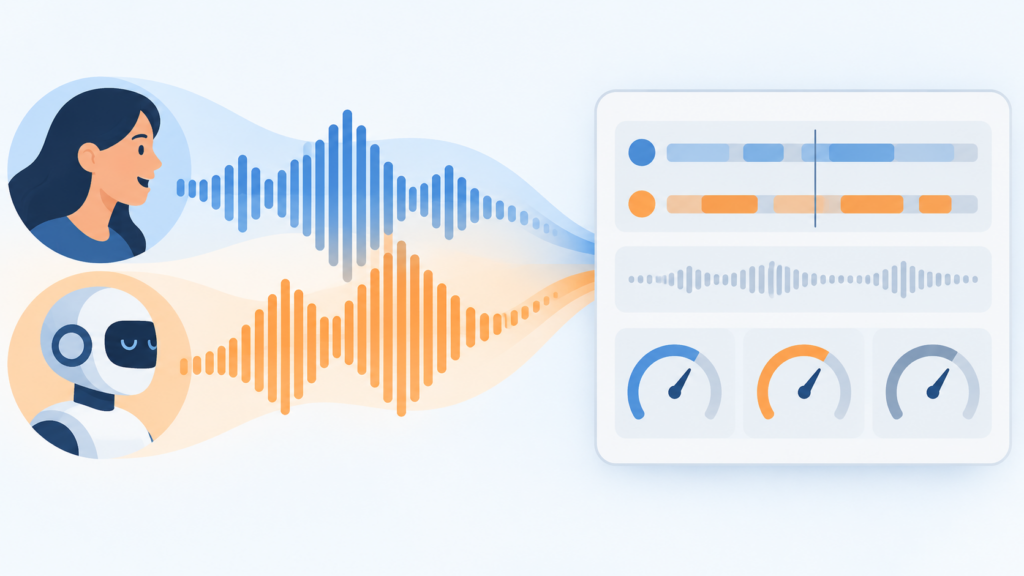
LangSmith observability for a Google ADK voice agent running Gemini Live comes down to three pieces of work: registering the native LangSmith ADK tracing plugin on your runner, manually recording both sides of the conversation audio, and reading the trace that results. The trace gathers an audio waveform timeline, a conversation transcript, every tool call with its arguments and results, events such as interruptions, and a token cost breakdown that includes audio tokens. A hands-on tutorial from Google for Developers demonstrates the whole loop on a small terminal weather assistant. The demo is deliberately minimal, so treat it as a wiring guide for your own AI workflows rather than a production rollout plan.
Why an audio-native model changes the tracing problem
Gemini Live is Google’s speech-to-speech model: it accepts audio and returns audio directly, without an intermediate transcription-to-text step. The presenter credits that design with low latency and a more natural, emotive voice. For observability, the consequence is that audio is the primary record of what happened in a conversation. A tracing tool therefore has to show the audio itself, who spoke and when, alongside the transcript, tool activity, and costs that text-first agents make you think of first. Voice agent observability is as much about timelines and interruptions as it is about prompts.
The demo agent: small on purpose
The agent in the tutorial is a terminal-based weather assistant with two tools, get time and get weather, and a short prompt that mostly sets tone. The presenter is explicit that a real agent would carry a longer prompt with behavioral instructions. The smallness is a feature for learning: with two tools and a short prompt, every part of the resulting trace stays readable, and you can confirm that each tool call, argument, and result lands where you expect before pointing the same instrumentation at something bigger.
Turn on tracing with the native LangSmith ADK plugin
Tracing setup uses the native LangSmith plugin for ADK. The configuration pattern demonstrated has four parts:
- Project name: the LangSmith project the traces land in, so runs from this agent stay grouped together.
- Tags and metadata: labels attached to traces, useful for telling groups of runs apart later.
- A thread-ID lambda: a function that assigns each run to a conversation thread, so turns from the same session can be followed as one conversation instead of loose individual traces.
- Registration on the runner: the plugin is attached to the runner that executes the agent, after which runs emit traces.
The thread-ID detail is the one worth pausing on. Voice agents are multi-turn by nature, and a flat list of traced runs is much harder to reason about than a grouped conversation. Deciding what counts as a thread, whether a session, a caller, or a device, is a modeling choice you make when you write the lambda; the plugin cannot infer it for you.
Record both sides of the conversation yourself
Audio capture does not come free with the plugin. The tutorial adds it manually through record_user_audio and record_agent_audio. The practical reason is that microphone input and played-back audio live in your streaming implementation, not inside the model call, so only your code knows exactly which bytes flowed in each direction.
User audio is the simpler side: record the incoming audio from the user as it arrives. Agent audio is where the subtlety sits. What you want in the trace is what the user actually heard, not everything the model produced. If the user interrupts mid-reply, the agent may have generated audio that was never played. Recording the full generated stream would misrepresent the conversation, because the trace would show the user talking over a longer answer than they ever heard.
The fix is to truncate the recorded agent audio at the interruption point, and the tutorial is candid that how you do this depends on your audio streaming setup, including what your playback code knows about consumed audio when the interrupt fires. This is the fiddliest part of the integration, and it is setup-specific rather than a copy-paste recipe.
Read the finished trace end to end
Once the plugin is registered and both audio sides are recorded, a conversation produces a trace that packs several views into one place:
- An audio timeline showing user and agent segments as waveforms, which makes turn-taking visible, including where an interruption cut an agent reply short.
- The conversation transcript, so you can read the exchange without scrubbing audio.
- Every tool call with its arguments, results, and duration; in the demo, the get time and get weather calls with what they returned and how long they took.
- Events such as turn completed and interruptions, giving a discrete event log on top of the audio.
- A full token and cost breakdown, including audio tokens. For an audio-native model this matters, because audio tokens are part of the consumption picture and seeing them broken out shows where cost accumulates in a voice conversation.
Read together, these views answer questions that plain logs cannot: did the agent receive the whole question, did the tool return in reasonable time, and did interruptions behave the way the product intends?
The tutorial closes by pointing at where traces go next, feeding evaluations, datasets, annotation queues, and dashboards, but it names these as follow-on capabilities rather than demonstrating them.
What this minimal demo does not tell you
- It traces one simple agent, a terminal weather assistant with two tools and a short prompt, not a production-scale system.
- It shows no worked evaluation examples; evals, datasets, dashboards, and annotation queues get a brief mention only.
- Interruption truncation is presented as dependent on your streaming setup, so expect to adapt that part to your own audio pipeline.
- It covers this specific stack, Google ADK, Gemini Live, and LangSmith, and says nothing about other agent frameworks.
A repeatable checklist for your own agent
- Configure the LangSmith ADK plugin with a project name, tags, metadata, and a thread-ID lambda, then register it on your runner.
- Hook record_user_audio to your incoming user audio stream.
- Hook record_agent_audio to the audio you actually play, truncating at interruptions so the trace matches what the user heard.
- Inspect one traced conversation for waveform alignment, transcript accuracy, tool call durations, interruption events, and audio-token costs.
- Before scaling up, check whether your thread grouping and tags will still make traces easy to query when volume grows.
That is the whole loop: instrument the runner, capture honest audio on both sides, then use the trace to interrogate latency, tool behavior, interruptions, and cost in one place. For teams evaluating practical AI tools for voice agents, it is a cheap experiment to run on a small agent before the questions get expensive.
Frequently asked questions
What is Gemini Live and why does it matter for voice agent tracing?
Gemini Live is Google's speech-to-speech model: it takes and returns audio directly without transcribing to text, which the presenter says yields low latency and a more natural, emotive voice. Because the conversation is audio-native, the trace needs to capture audio itself, not just text.
How do you enable LangSmith tracing for a Google ADK agent?
Use the native LangSmith ADK plugin. Define the plugin with a project name, tags, metadata, and a thread-ID lambda that groups turns from the same conversation, then register the plugin on the runner so agent runs emit traces.
Why do you need to truncate agent audio at interruptions?
The trace should reflect what the user actually heard. If the user interrupts, the agent may have generated audio that was never played, and recording all of it would misrepresent the conversation. How you truncate depends on your audio streaming setup.
What does a LangSmith trace show for a Gemini Live voice agent?
The trace shows the audio timeline with user and agent segments, the conversation transcript, every tool call with its arguments, results, and duration, events like turn completed and interruptions, and a full token and cost breakdown that includes audio tokens.
What are the limits of this LangSmith voice agent demo?
It traces one minimal terminal weather assistant with two tools and a short prompt, shows no worked evaluation examples beyond a brief mention of evals, datasets, dashboards, and annotation queues, and covers only the Google ADK, Gemini Live, and LangSmith stack.